# Using Scientific Communication Platforms
Scientific Communication Platforms define the scientific position, narrative, objectives, and core medical messages for products, therapeutic areas, indications, or a combination thereof. These objectives and messages serve as the foundation for future medical communication activities. Stakeholders leverage these communications platforms to source their messaging and data points used to substantiate medical content.
When [configured by your Admin](/en/lr/731950/), you can link these objectives and messages to content in MedComms using _Scientific Statement_ linking for tracking and reporting. You can also link _Statement Assets_ to _Scientific Statements_, supporting your objectives and messages with non-text assets.
## Viewing Communication Platforms
To view the _Scientific Communication Platforms_ library, click the **Scientific Communications** tab collection. Your Admin may have given this tab collection a different name. Click a _Communication Platform_ name to view the record.
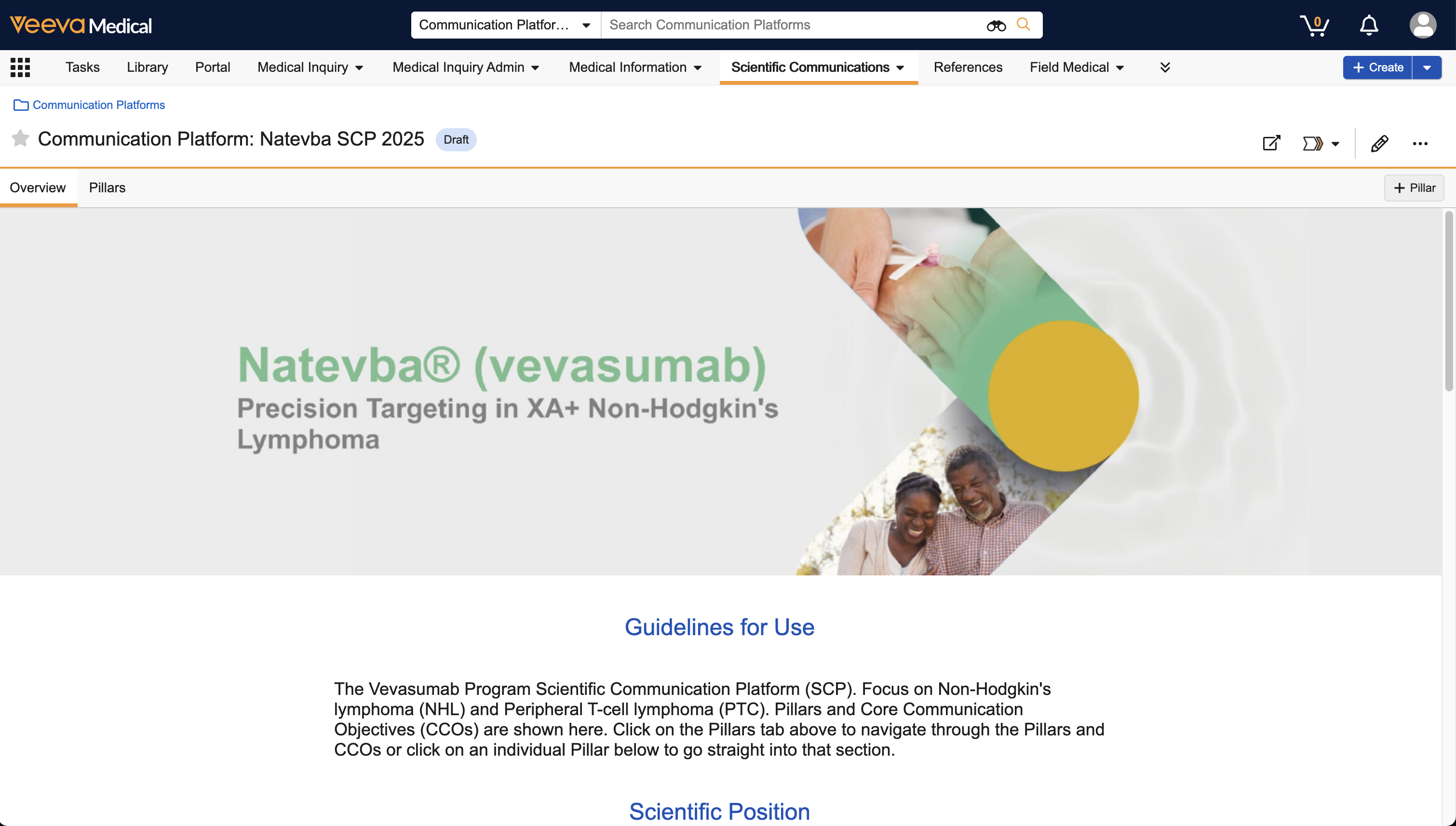 While viewing a _Communication Platform_ record, you can click one of the following tabs:
* **Overview**: This tab displays any defined _Hero Image_, _Guidelines for Use_, _Pillars_, and _Scientific Positions_.
* **Pillars**: This tab displays all _Pillars_ created for the individual _Communication Platform_. You can expand _Pillars_ to view the associated _Communication Objectives_, _Primary Statements_, and _Aspirational Statements_. Vault displays the lifecycle state for each. The Communication Platform interface does not support custom object types.
To view a _Communication Platform_ or associated object record in a mini-browser window, click on the _Communication Platform_, _Pillar_, _Communication Objective_, _Primary_ or _Aspirational Statements_, _References_, or _Assets_.
The _Pillars_ sidebar displays a list of _Pillars_ and _Communication Objectives_. Click to collapse the _Pillars_ sidebar, or click to reopen it.
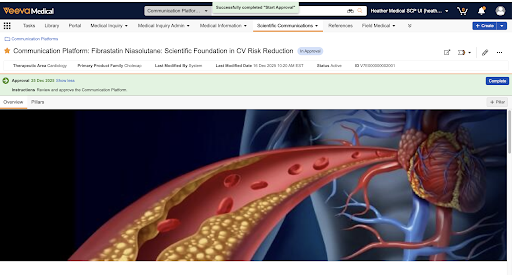
To review a workflow task associated with a _Communication Platform_ record, click **Show More** or **Show Less** to expand or collapse the details of the task in the task bar. Click **Accept** to open the dialog and select a verdict, and click **Complete** to save the verdict and complete the task.
While viewing a _Communication Platform_ record, you can click one of the following tabs:
* **Overview**: This tab displays any defined _Hero Image_, _Guidelines for Use_, _Pillars_, and _Scientific Positions_.
* **Pillars**: This tab displays all _Pillars_ created for the individual _Communication Platform_. You can expand _Pillars_ to view the associated _Communication Objectives_, _Primary Statements_, and _Aspirational Statements_. Vault displays the lifecycle state for each. The Communication Platform interface does not support custom object types.
To view a _Communication Platform_ or associated object record in a mini-browser window, click on the _Communication Platform_, _Pillar_, _Communication Objective_, _Primary_ or _Aspirational Statements_, _References_, or _Assets_.
The _Pillars_ sidebar displays a list of _Pillars_ and _Communication Objectives_. Click to collapse the _Pillars_ sidebar, or click to reopen it.
To review a workflow task associated with a _Communication Platform_ record, click **Show More** or **Show Less** to expand or collapse the details of the task in the task bar. Click **Accept** to open the dialog and select a verdict, and click **Complete** to save the verdict and complete the task.
 ## Creating & Editing Communication Platforms
To create a _Communication Platform_ from the _All Communication Platforms_ page or on an existing _Communication Platform_ record, click **Create**.
While viewing a _Communication Platform_, click **+ Pillar** in the _Pillars_ tab to create a new _Pillar_. To add a _Communication Objective_ to a _Pillar_, click **+ Communication Objective**.
From the _Communication Objective_, click **+ Aspirational Statement** or **+ Primary Statement** to create a _Statement_ record. After creating a _Statement_, you can add a _Secondary Statement_ by clicking **+ Secondary Statement**.
You can add a _Reference_ by clicking the **plus** (**+**) icon in the _References_ header. Vault opens the _Select Anchors_ dialog where you can add or remove references and anchors for _Primary_ and _Secondary Statements._ You also can add or remove a _Statement Asset_ by clicking the **plus** (**+**) icon in the _Statement Assets_ header.
Click **Edit** to edit a _Communication Platform_, _Pillar_, _Communication Objective_, or _Aspirational_ or _Primary Statement_.
_Hero Images_ cannot exceed 2 MB in size, and must be one of the following file types:
* PNG
* JPG
* JPEG
* SVG
* WebP
The recommended image dimensions for _Hero Images_ are:
* _Communication Platform_: 1920 x 440 px
* _Pillar_: 400 x 300 px
_Order_ fields specify the order in which Vault displays records within each section (_Pillar_, _Communication Objective_, and _Statements_). If there are conflicting _Order_ values, or if you do not define _Order_ values, Vault orders the records using the _Created Date_. Vault automatically generates and dynamically updates record prefixes, such as 1.1 and 1.2.1, based on the _Order_. This numbering is only used for the Communication Platforms user interface, and is not saved to the applicable records.
## Related Permissions
The following [permissions](/en/lr/22824/) control the ability to manage the _Communication Platform_ library:
| Type | Permission Label | Controls |
|---|---|---|
| Security Profile | Object: Communication Platform: Read, Create, Edit, Delete | Ability to see, create, edit, and delete _Communication Platform_ object records |
| Security Profile | Object: Communication Objective: Medical Objective: Read, Create, Edit, Delete | Ability to see, create, edit, and delete _Medical Objective_ object records |
| Security Profile | Object: Communication Objective: Commercial Objective: Read, Create, Edit, Delete | Ability to see, create, edit, and delete _Commercial Objective_ object records |
| Security Profile | Object: Link Target: Commercial Objective: Read, Create, Edit, Delete | Ability to see, create, edit, and delete _Link Target_ object records |
| Security Profile | Object: Scientific Statement: Primary Statement: Read, Create, Edit, Delete | Ability to see, create, edit, and delete _Primary Statement_ object records |
| Security Profile | Object: Scientific Statement: Secondary Statement: Read, Create, Edit, Delete | Ability to see, create, edit, and delete _Secondary Statement_ object records |
| Security Profile | Object: Scientific Statement: Scientific Statement: Read, Create, Edit, Delete | Ability to see, create, edit, and delete _Scientific Statement_ object records |
| Security Profile | Object: Scientific Statement: Aspirational Statement: Read, Create, Edit, Delete | Ability to see, create, edit, and delete _Aspirational Statement_ object records |
| Security Profile | Object: Scientific Statement Target: Read, Create, Edit, Delete | Ability to see, create, edit, and delete _Scientific Statement Target_ object records |
| Document Role | Annotate | Ability to select and create _References_ |
| Document Role | Edit Relationships | Ability to select and create _References_ |
## Creating & Editing Communication Platforms
To create a _Communication Platform_ from the _All Communication Platforms_ page or on an existing _Communication Platform_ record, click **Create**.
While viewing a _Communication Platform_, click **+ Pillar** in the _Pillars_ tab to create a new _Pillar_. To add a _Communication Objective_ to a _Pillar_, click **+ Communication Objective**.
From the _Communication Objective_, click **+ Aspirational Statement** or **+ Primary Statement** to create a _Statement_ record. After creating a _Statement_, you can add a _Secondary Statement_ by clicking **+ Secondary Statement**.
You can add a _Reference_ by clicking the **plus** (**+**) icon in the _References_ header. Vault opens the _Select Anchors_ dialog where you can add or remove references and anchors for _Primary_ and _Secondary Statements._ You also can add or remove a _Statement Asset_ by clicking the **plus** (**+**) icon in the _Statement Assets_ header.
Click **Edit** to edit a _Communication Platform_, _Pillar_, _Communication Objective_, or _Aspirational_ or _Primary Statement_.
_Hero Images_ cannot exceed 2 MB in size, and must be one of the following file types:
* PNG
* JPG
* JPEG
* SVG
* WebP
The recommended image dimensions for _Hero Images_ are:
* _Communication Platform_: 1920 x 440 px
* _Pillar_: 400 x 300 px
_Order_ fields specify the order in which Vault displays records within each section (_Pillar_, _Communication Objective_, and _Statements_). If there are conflicting _Order_ values, or if you do not define _Order_ values, Vault orders the records using the _Created Date_. Vault automatically generates and dynamically updates record prefixes, such as 1.1 and 1.2.1, based on the _Order_. This numbering is only used for the Communication Platforms user interface, and is not saved to the applicable records.
## Related Permissions
The following [permissions](/en/lr/22824/) control the ability to manage the _Communication Platform_ library:
| Type | Permission Label | Controls |
|---|---|---|
| Security Profile | Object: Communication Platform: Read, Create, Edit, Delete | Ability to see, create, edit, and delete _Communication Platform_ object records |
| Security Profile | Object: Communication Objective: Medical Objective: Read, Create, Edit, Delete | Ability to see, create, edit, and delete _Medical Objective_ object records |
| Security Profile | Object: Communication Objective: Commercial Objective: Read, Create, Edit, Delete | Ability to see, create, edit, and delete _Commercial Objective_ object records |
| Security Profile | Object: Link Target: Commercial Objective: Read, Create, Edit, Delete | Ability to see, create, edit, and delete _Link Target_ object records |
| Security Profile | Object: Scientific Statement: Primary Statement: Read, Create, Edit, Delete | Ability to see, create, edit, and delete _Primary Statement_ object records |
| Security Profile | Object: Scientific Statement: Secondary Statement: Read, Create, Edit, Delete | Ability to see, create, edit, and delete _Secondary Statement_ object records |
| Security Profile | Object: Scientific Statement: Scientific Statement: Read, Create, Edit, Delete | Ability to see, create, edit, and delete _Scientific Statement_ object records |
| Security Profile | Object: Scientific Statement: Aspirational Statement: Read, Create, Edit, Delete | Ability to see, create, edit, and delete _Aspirational Statement_ object records |
| Security Profile | Object: Scientific Statement Target: Read, Create, Edit, Delete | Ability to see, create, edit, and delete _Scientific Statement Target_ object records |
| Document Role | Annotate | Ability to select and create _References_ |
| Document Role | Edit Relationships | Ability to select and create _References_ |